ICOM-5100 -- Bar None, the Greatest Mobile Focused Mobile HAM Radio
For me, the excitement of HAM radio has been all about having a functional setup for communication while doing activites. Generally that focus has been on comms while skiing or driving race cars, which is generally easy enough and the locations known enough I can program in a few repeaters and be all set. As I go further down the ham rabbit hole though, a new sector of interest has been growing for me: comms while driving and/or having a portable base station.
On my most recent trip prep for a race at The Ridge Motorspors Park, I found myself thinking "It would be kind of fun to reach out to some HAM radio repeaters while schlepping up and down the I-5 Corridor". Now, this can be done with a handheld, but a lot of forethought goes into that process such as finding and programming all of the repeaters... and even then, you might not navigate to having picked up the right repeaters, or simply find repeaters nobody frequents. This was my experience on said trip, and I quickly lost interest.
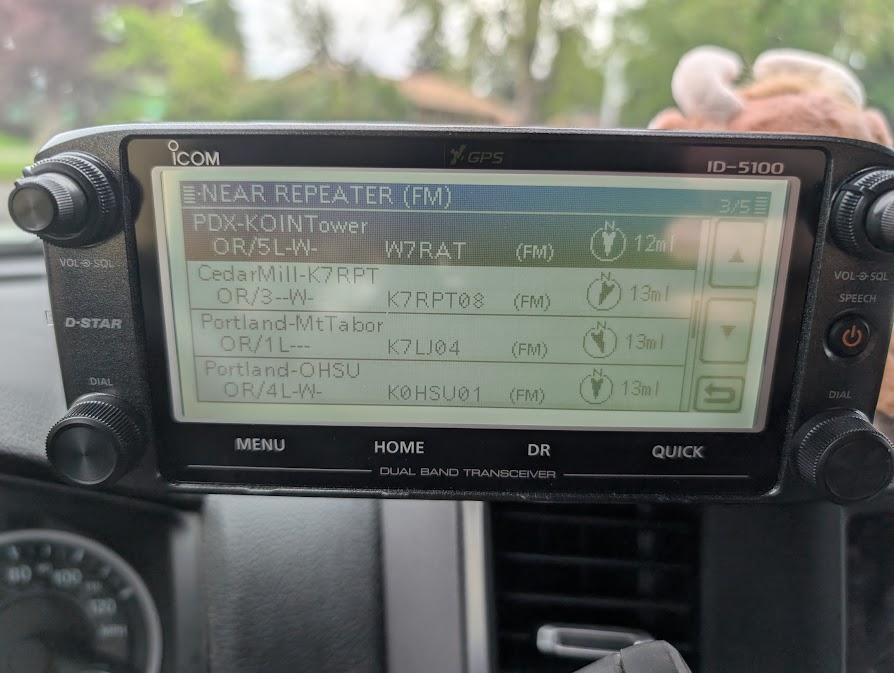
Enter the ICOM-5100. Not only does this bad boy put out 50w to a rooftop mounted Antenna giving me some serious range... but the ICOM-5100 also promises to utilize GPS to allow you to quickly search for nearby repeaters! Now that sure seems like EXACTLY what I am after. Just cruise up the highway, look for nearby repeaters and try and reach out to some folks while I'm out and about driving!
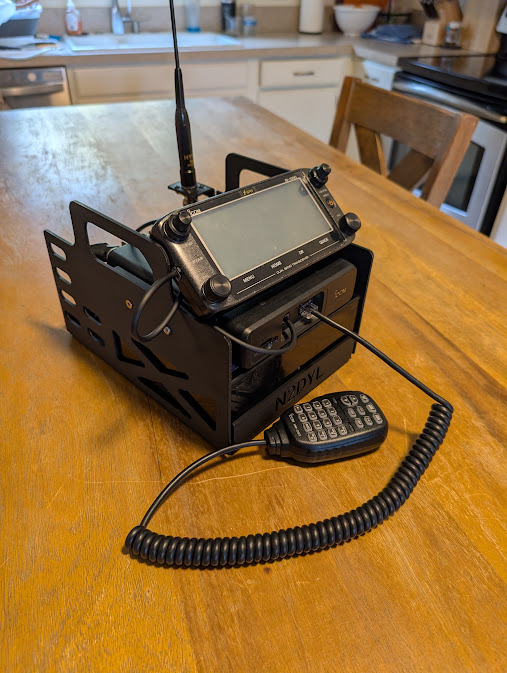
The unit is also reasonable enough in size and stature to develop your own portable base station with. See the one I made above. It's got a little 22ah battery that's powerful enough to run the radio for long periods of time. Just drag it along and set it up wherever you are for a little home base setup!
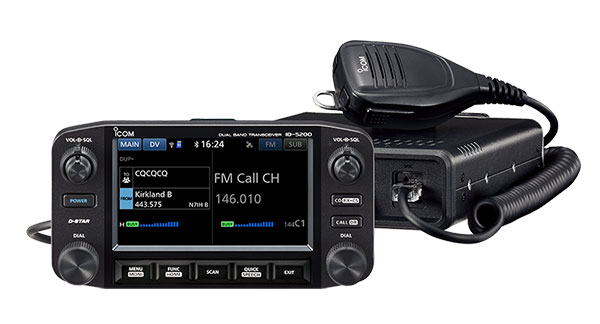
Now there's a new and far fancier version of the 5100 coming out soon, the 5200... and I'll admit it's pretty schnazy and I will likely be getting one right away... but it is a ways out, and there are a few detractions against it such as the large screen format. Fortunately for me though, I found a brand new in the box ICOM 5100 for $350 shipped to me and snagged it. Enter a cheap rooftop antenna and some other acessories... I'm all in $450 and I've got a pretty capable Ham radio setup for my truck... but will it live up to expecations? What's involved in owning it? Do I like owning it? Read on to see the evolution of my ownership of the 5100, which went so good, I now own two of these units!
Installation of the Icom 5100 on my Ram 3500
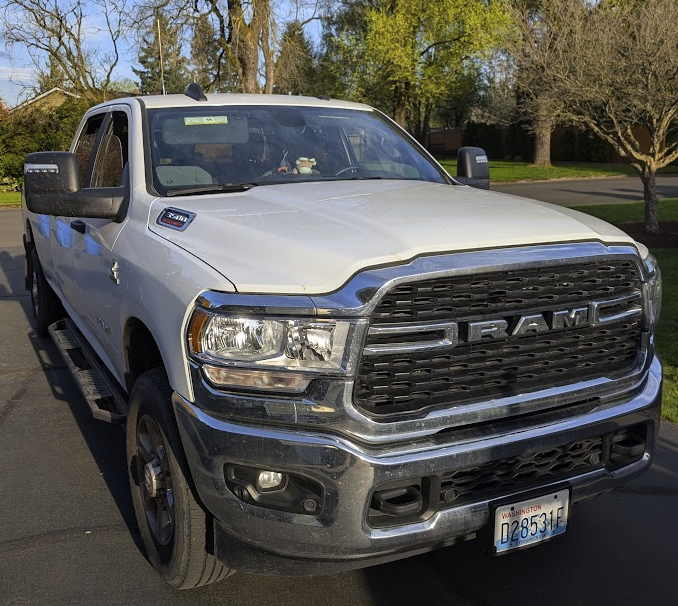
So my pesonal Ram 3500 is pretty darn new and also low mileage. I only use my truck for select adventures as it has the turning radius of the death star and takes up a similar amount of park spaces. While it's a great truck and all, it's really just meant for hauling and is overkill for getting groceries or just around town stuff. We also have a hybrid car for fuel effeciency and two street legal corvettes... so why would we take this behemouth out when I can get twice as far for half as much, or get there twice as quick with a smile on my face?
Due to the limited applicability of this truck, it has a pretty modest amount of use and has retained a lot of it's value... value which I don't want to ruin by cutting up a bunch of excessive holes in the car or doing my typical lemons grade work! Functionality is also key, along with not getting in an accident... so I need the radio somewhere I can operate it with minimal distraction.
These needs combined gave me the following requirements:
- Whatever I do has to be reversible with no major irreversible modifications to the car. That means no drilling holes or permantently dash mounting anything.
- My head unit mounting location needs to be accessible and within reach of myself as a driver and within peripheral view of where I am driving.
- My main unit needs to be stashed somewhere safe from getting damaged by other folks feet.
- My insatallation needs to be clean and durable. I like my stuff to last!
My Installation Plan After Chatting with Various Folks:
- Install a magnetic roof mounted antenna, run it along the rear of the cab, under the car, and up through a small access port under the passenger seat.
- Run power from the passenger side battery (this rig has 2x batteries) down along the frame wall and back up through the passenger foot well.
- Secure the primary unit underneath the passenger seat where the car jack would normally go. There's a fat chance in heck I'm changing the tire on this car with a cheap bottle jack and the supplies they provided... so I might as well put this there.
- Added bonus: Design up my own mount that gives the unit space off the floor to help kee it cool since operating at 50w can supposedly generate a fair bit of heat.
- Attach the head unit in my peripheral view with a ram style mount, but do it in such a way I can remove the the unit if it is block my view.
- Attach a speaker (since this doesn't have audio out to tie in with my car) in a convenient out of the way location.
The plans sound simple enough... let's see how it went!
Antenna Routing
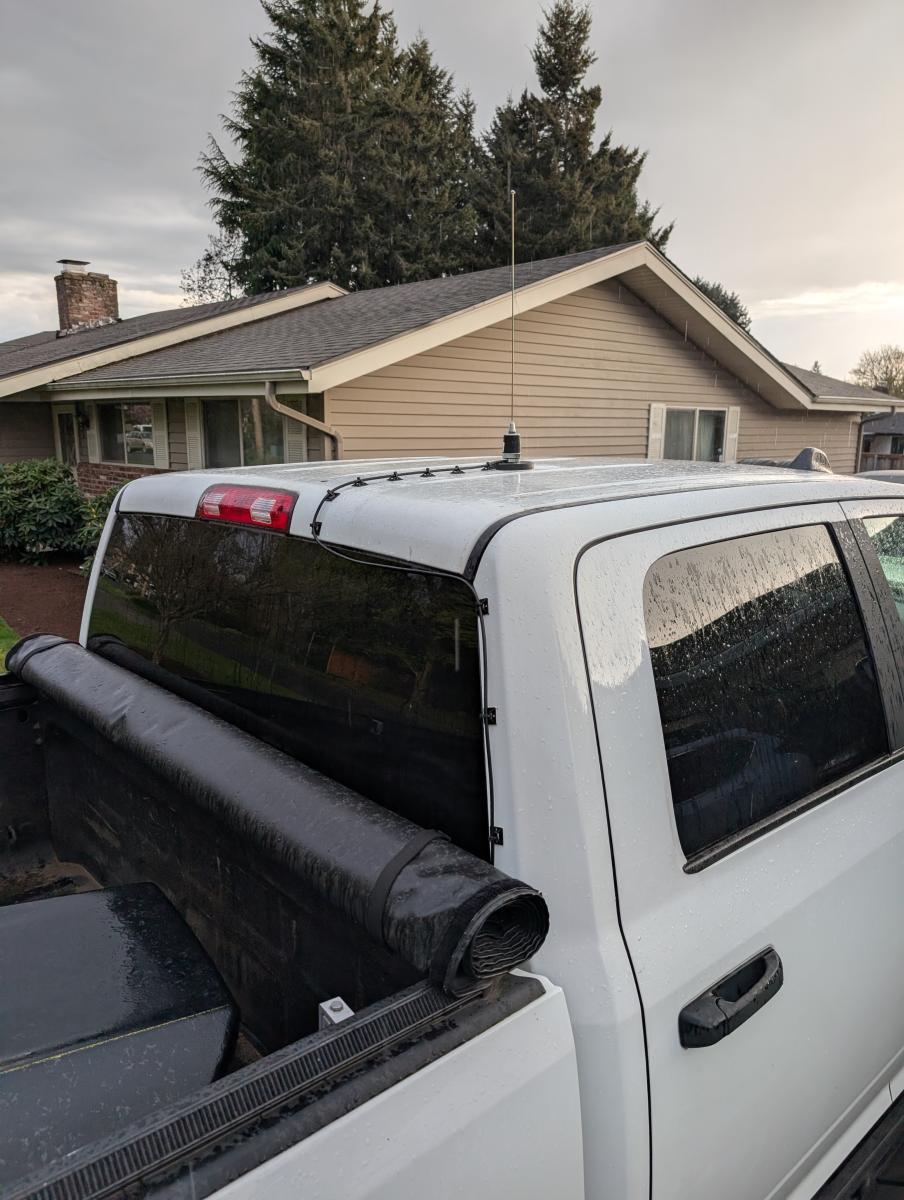
So the Antenna routing is one of the most debated parts of my install as the cable flagrantly stcks out and the antenna is quite temporary... but this was the only way to pull this off without drilling a hole in the roof of my truck, which I didn't want to do YET. Later, if I really enjoy this setup, I may commit to something a bit more serious, but for the time being this combination of a magnetic mount VHF/UHF antenna and the cable secured with zip tie mounts is temporary, but highly functional.
Power Routing
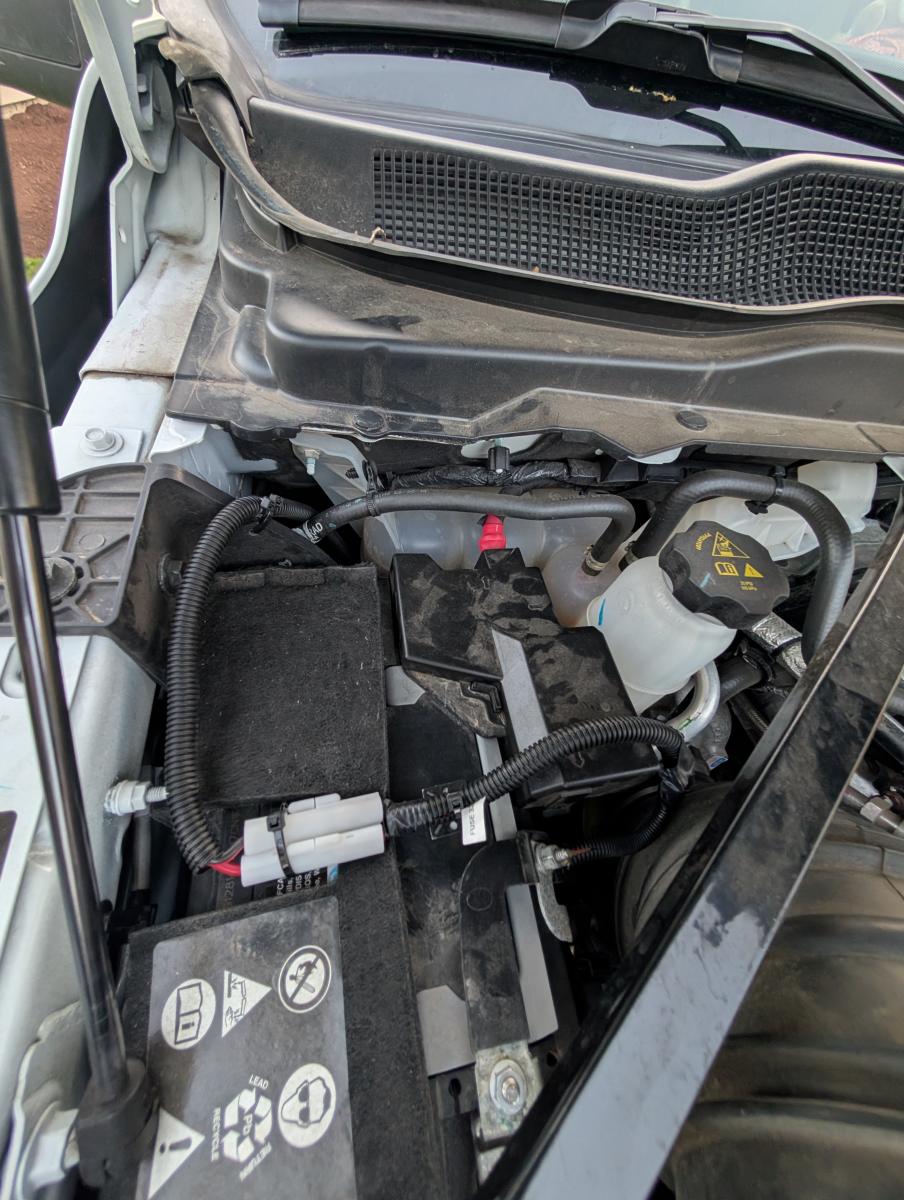
I was able to utilize the included power cable and fuses that came with the radio, but only just barely. It helped that my truck has two batteries wired in parallel, one of them is on the passenger side. For many vehicles, the cable may be insufficient. I attached the cable to the battery using some heat shrink wire terminals / connectors. To really make the job look professional along with help ensure the wires would last a long time, I ran the wire inside of 1/2 inch wire loom. To the casual observer it all looks factory.
Custom 3D Printed Main Unit Mount
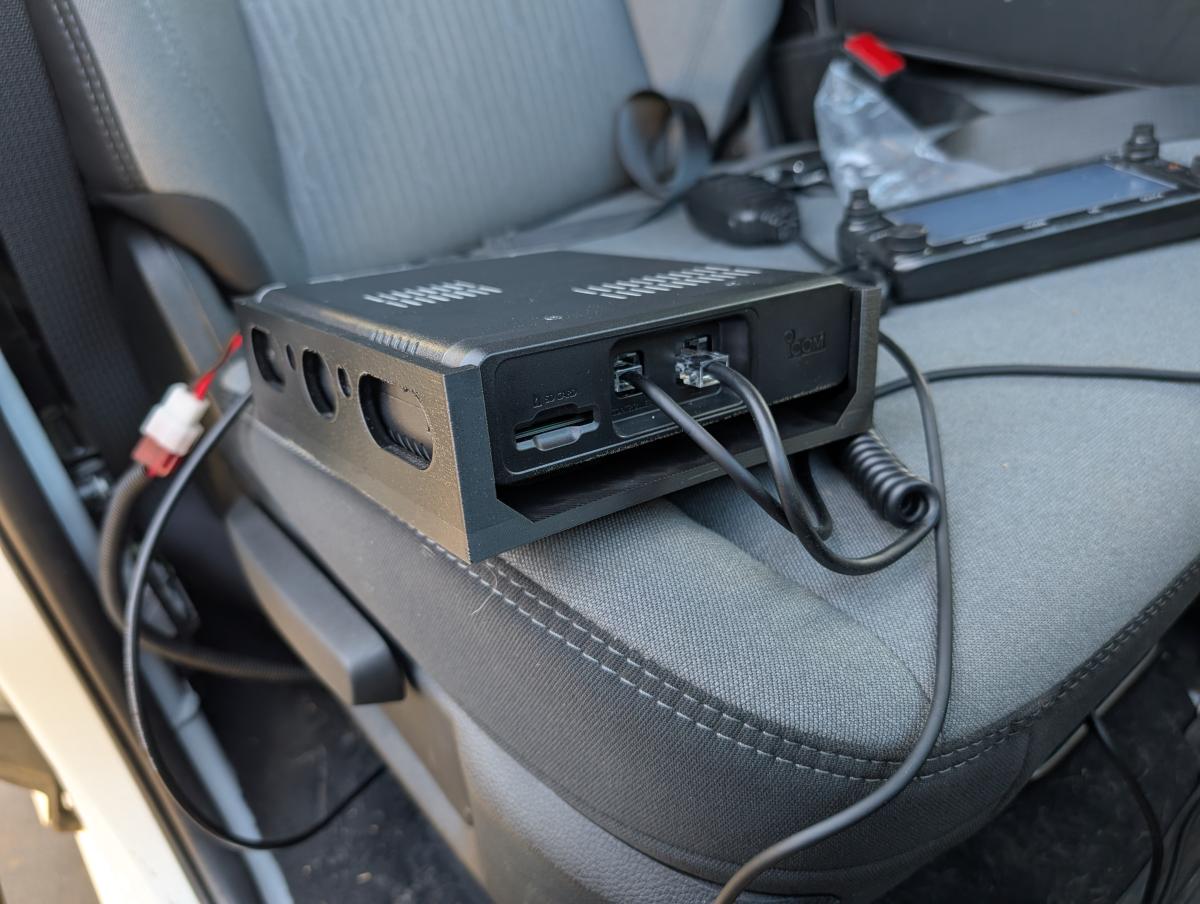
So for whatever reason the kit for the ICOM 5100A does not include the mounting kit. This may be simply because there's so many different ways folks mount these it just wasn't worth including, or it saved them $5, who knows. Whatever the story, I was going to need to do my own bracket, and what better chance to practice my CAD skills and utilize my 3D printers!
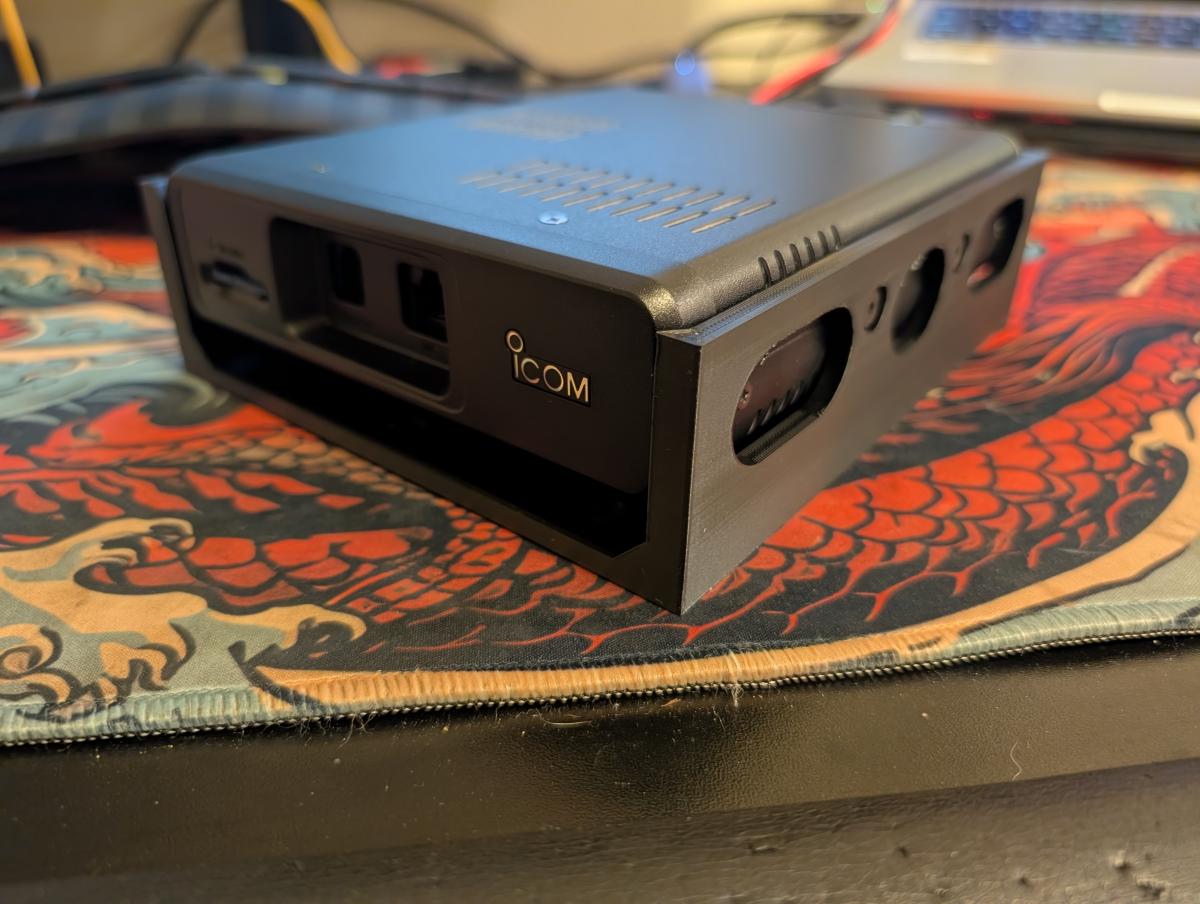
My design approach was a bit different than most, and I'll be sharing the file. I wanted the unit slightly off the floor of my truck to help it get better cooling as the unit would be in the air versus being pushed right up against a nice insulative car interior layer. I also wanted some cutouts along the side to further allow air to move around the unit.
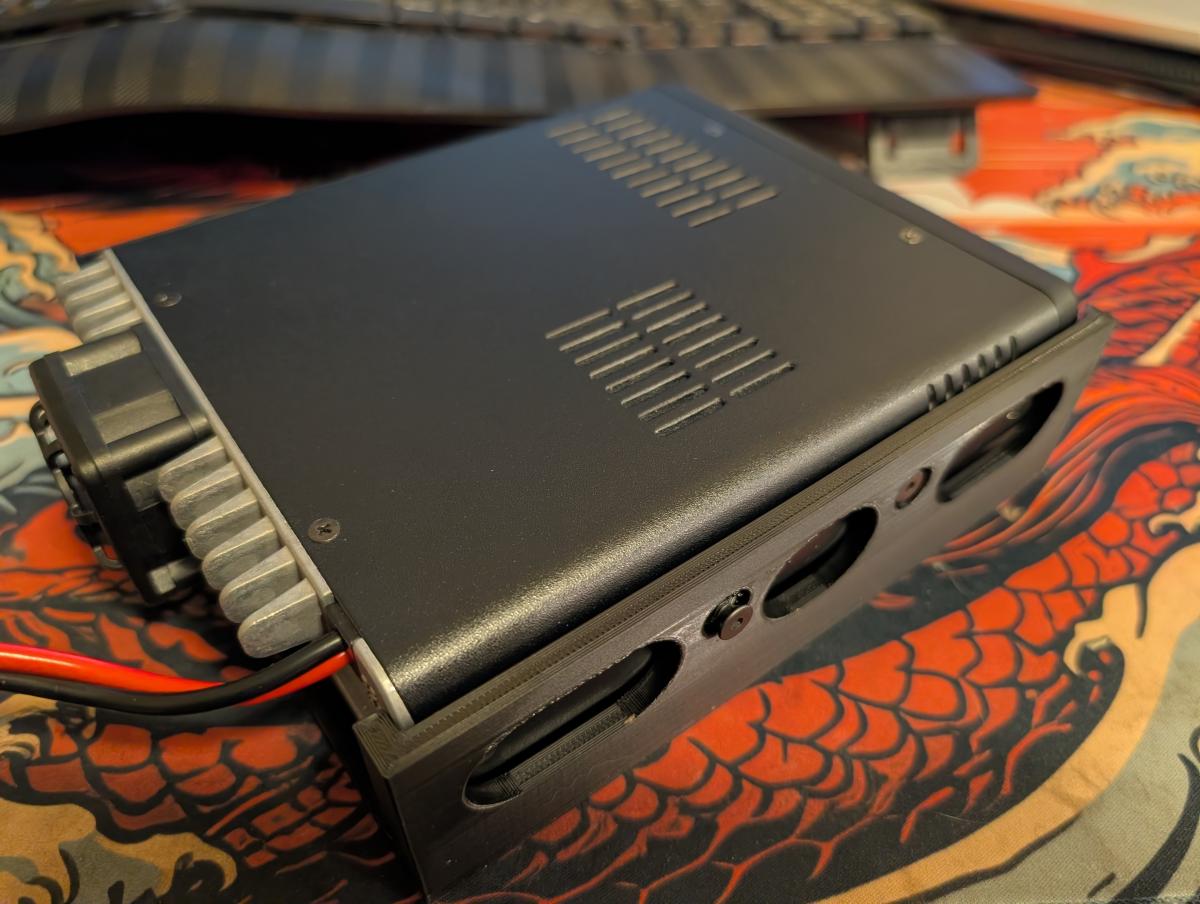
In the picture above, you can see the side cutouts. Ignore the protruding screw, I still need to go get the correct hardware!
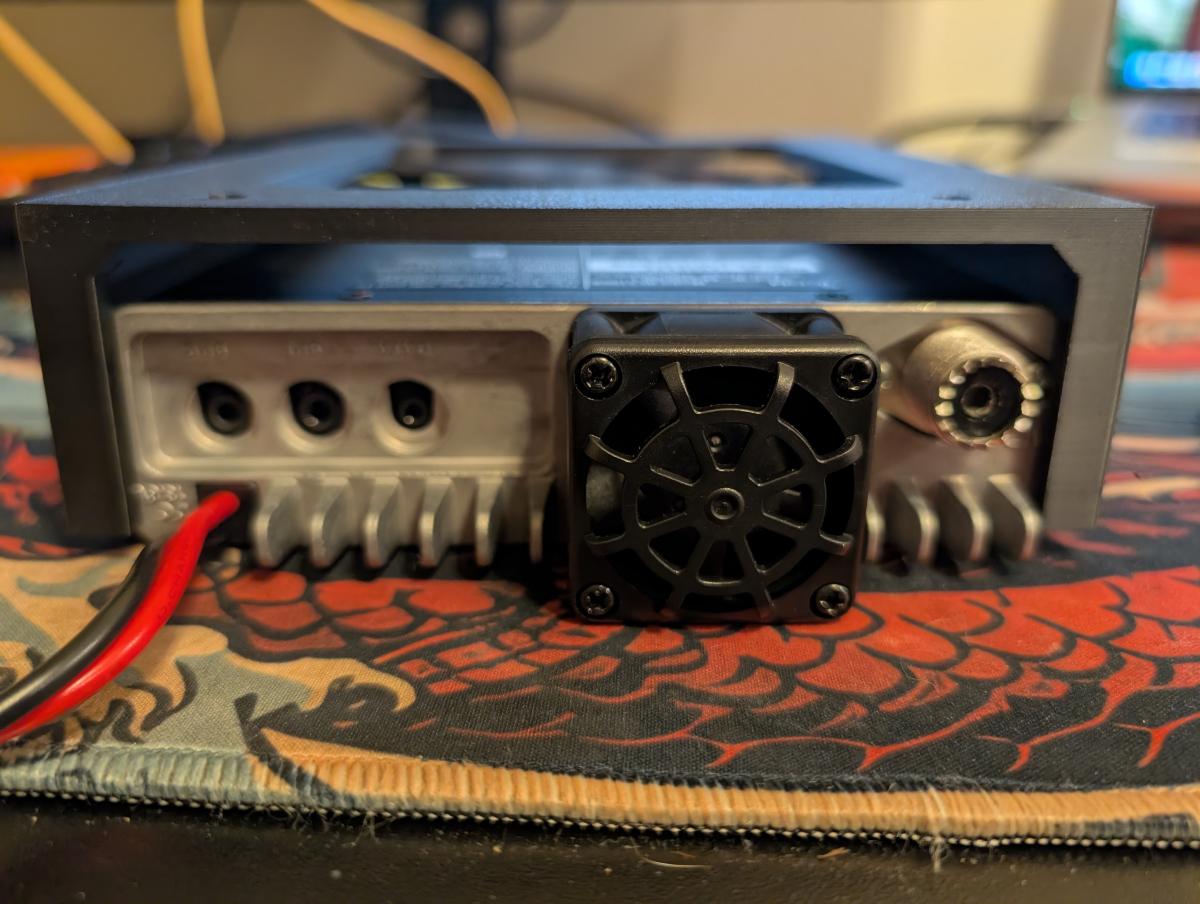
Here is a rear view of the unit upside down. As you can see, there's an air gap below the unit (or above if you mount it this way) which should help the unit remain relatively cool when compared to mounting directly on an insulating surface.
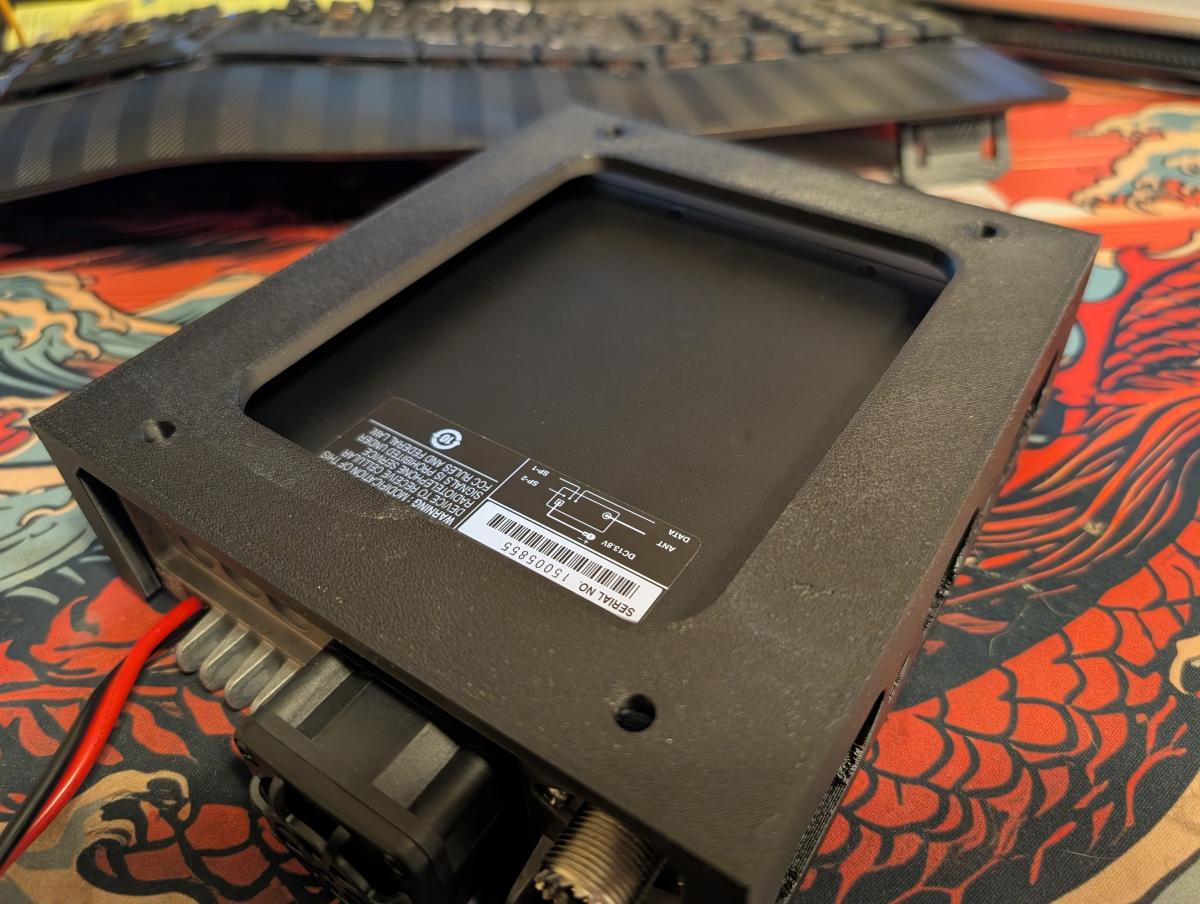
And here's one last view where you can see the unit from the mounting face (in my case, bottom as viewed upside down) with the 4x holes for M6 bolts.
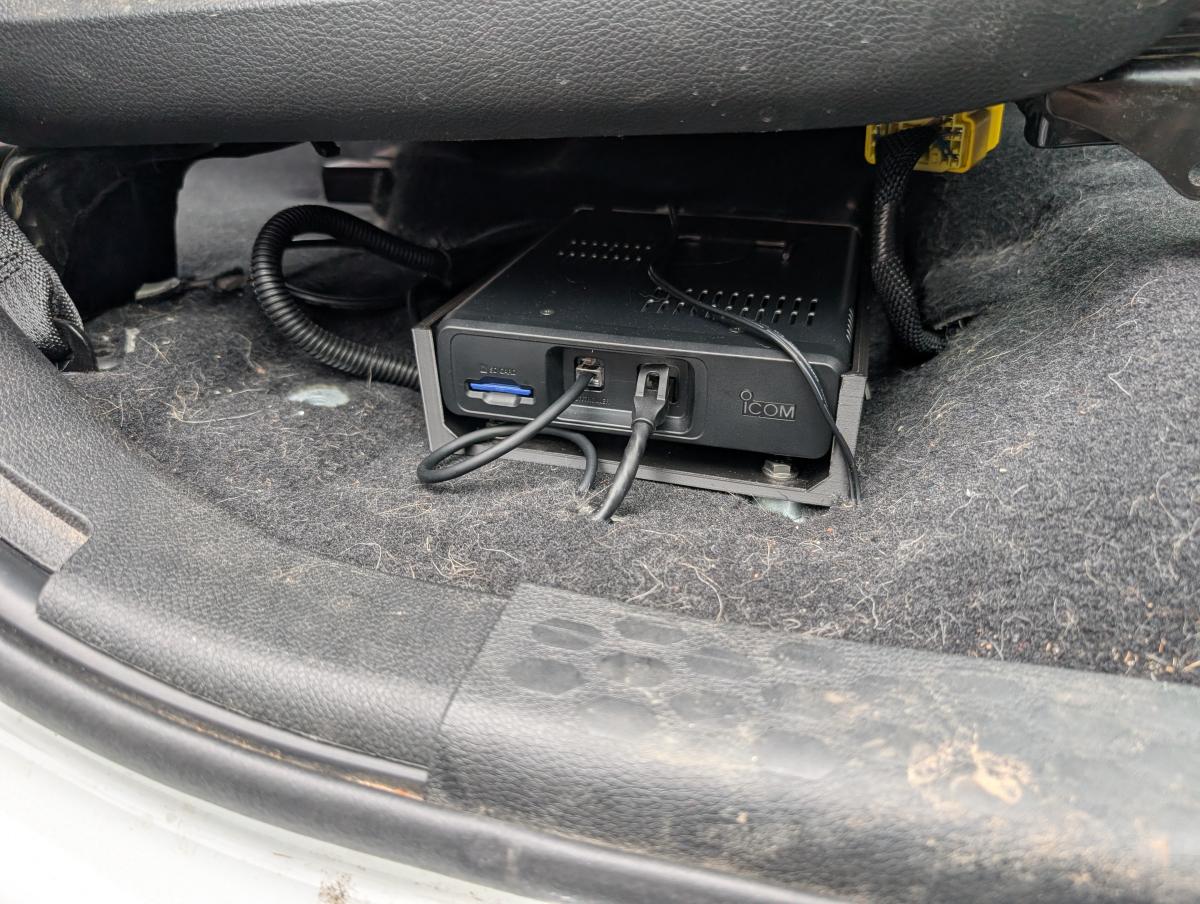
Here's a picture of my ICOM 5100 unit custom mounted below the passenger seat of my Ram 3500. Eagle eyed views may spot that the front of the unit has some aluminum spacers in there to remove the squish of the carpet when clamping down the bracket. Also of note is the very visible SD card. I went with a 16gb card I had lieing around, but if I had to buy a card again I'd purchase a 32gb SD card like this one.
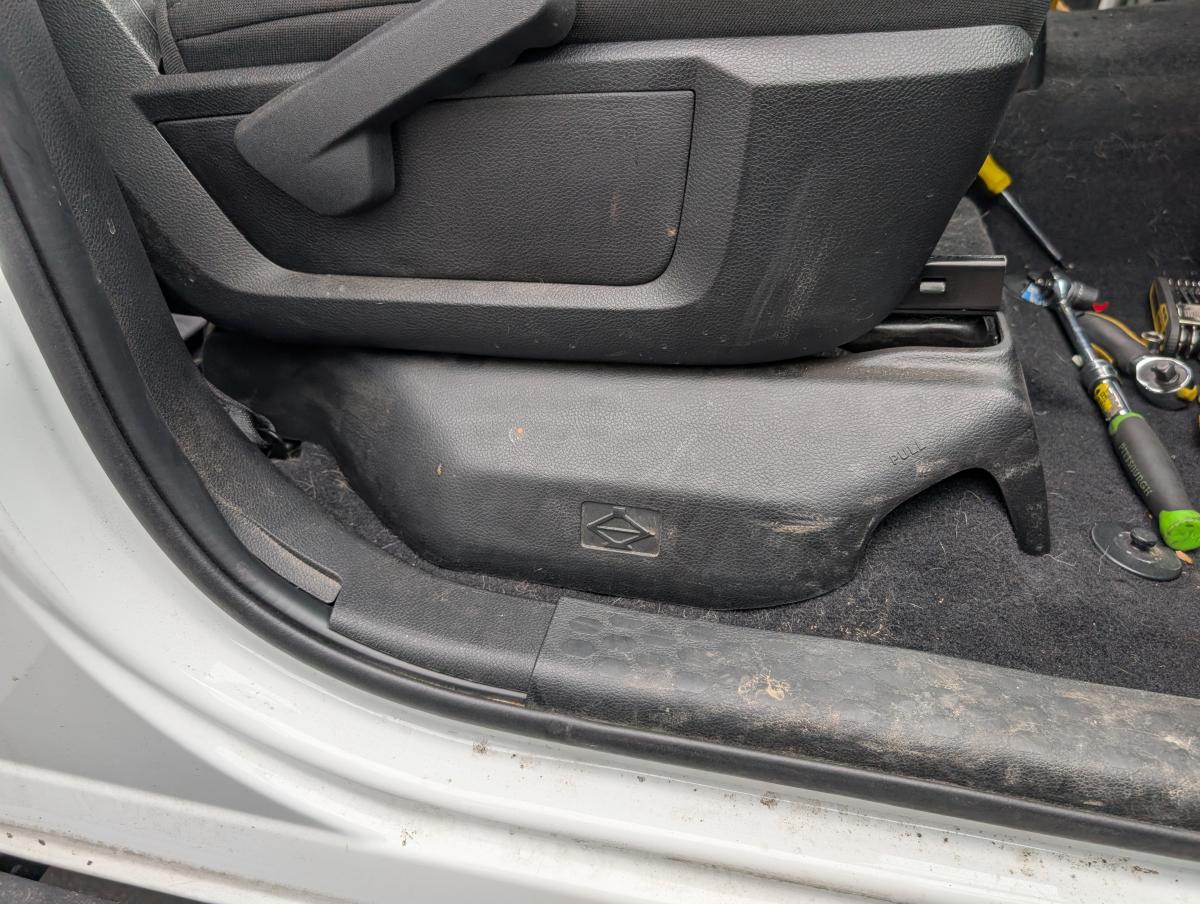
Lastly, here's what the unit looks like when the OEM jack cover panel is put in place. You can't see it... which was the goal. I wanted a low key stealth install, and I got it!
Head Unit & Speaker Placement + Interior Wiring
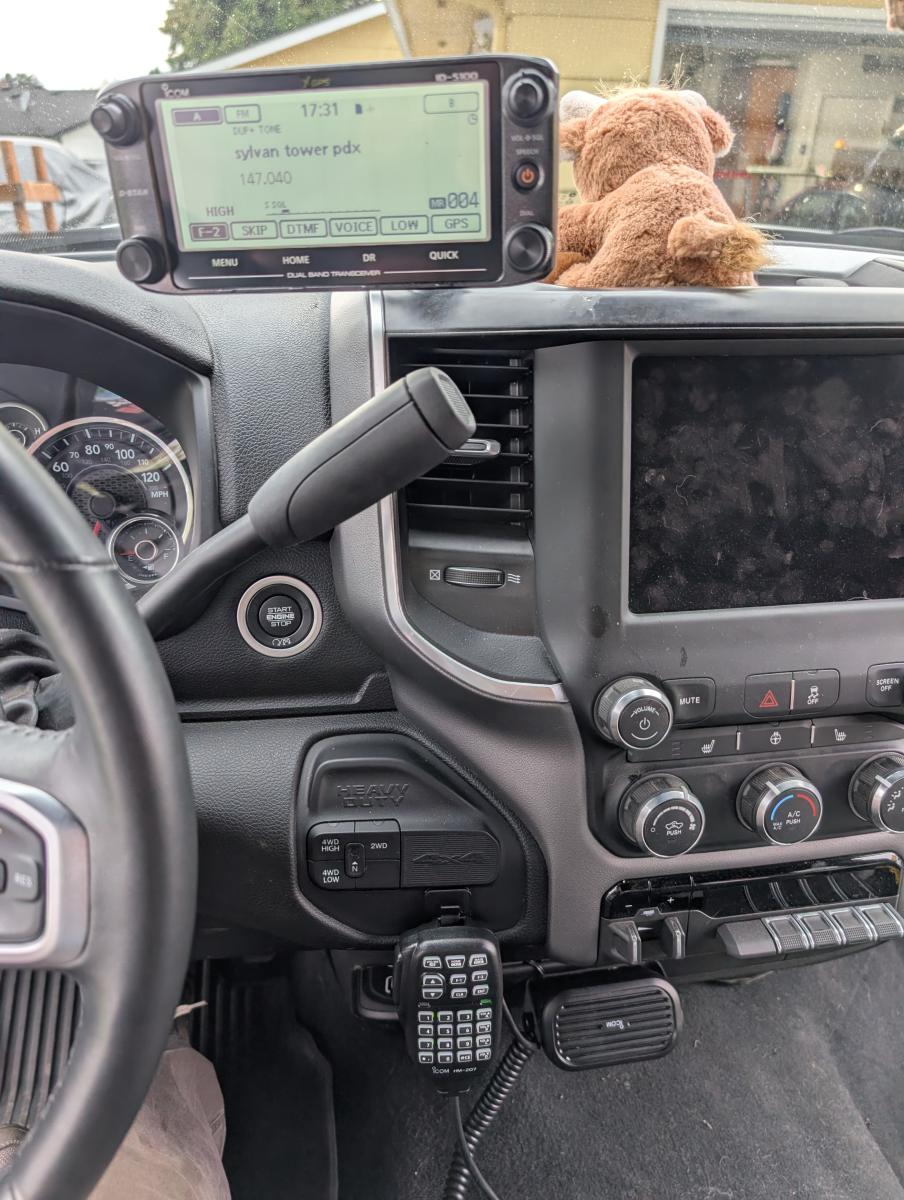
Here's a picture of the entire head unit, speaker and microphone in my Ram-3500. The head unit is a pretty obvious piece right at the top, and the mic ataches to a 3d printed block I made that secures with double sided tape.
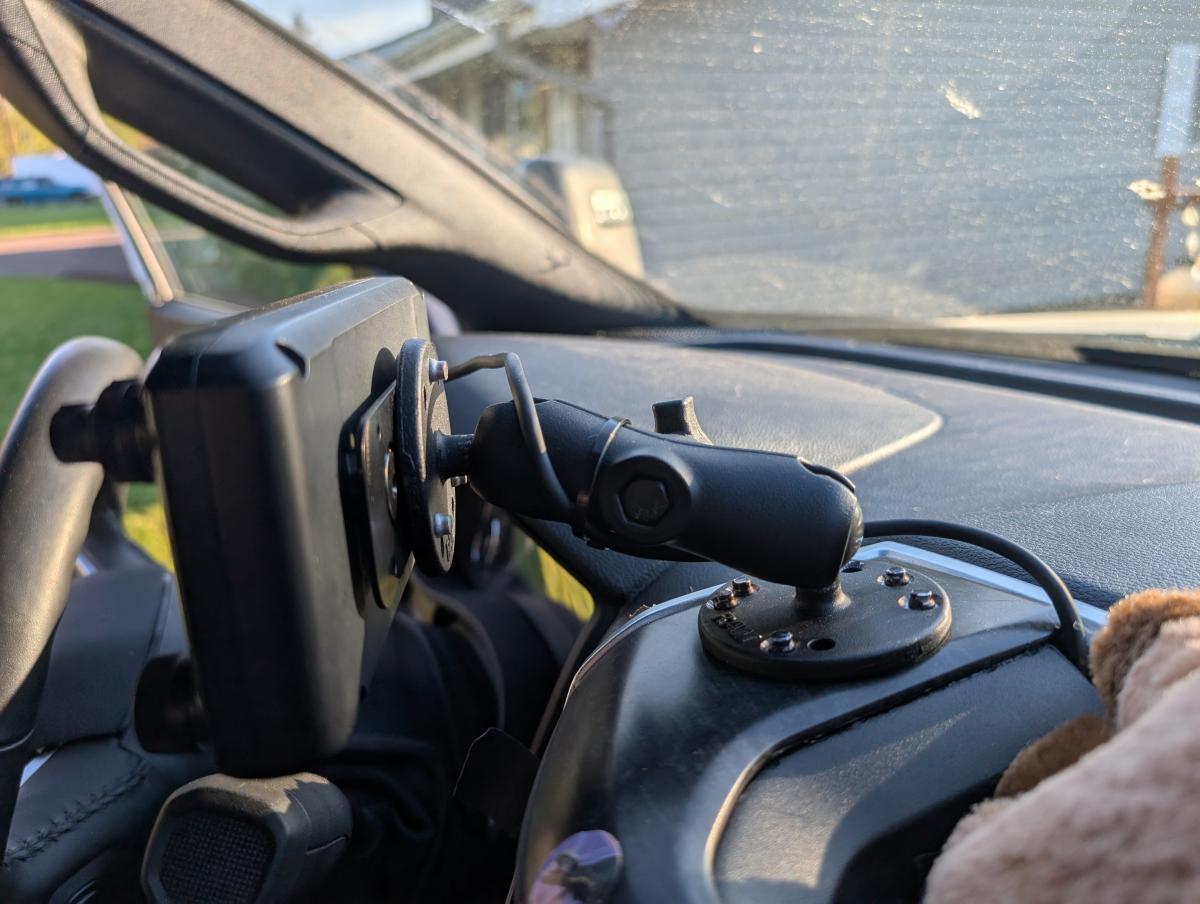
Here you can see I attached my head unit a removable dash piece utilizing a Ram Mount. These work well for me and have proven wildly reliable across several different installs. You can also see where I fished the wire through the dash and cut a tiny sliver in a dash piece to let the wire come through. If you need to fish wire through your dash, I highly recomend utilizing this flat steel electrical fish tape. It makes the job a breeze and since it's steel you can give it a bit of a bend if nescessary to help it feed in specific ways.
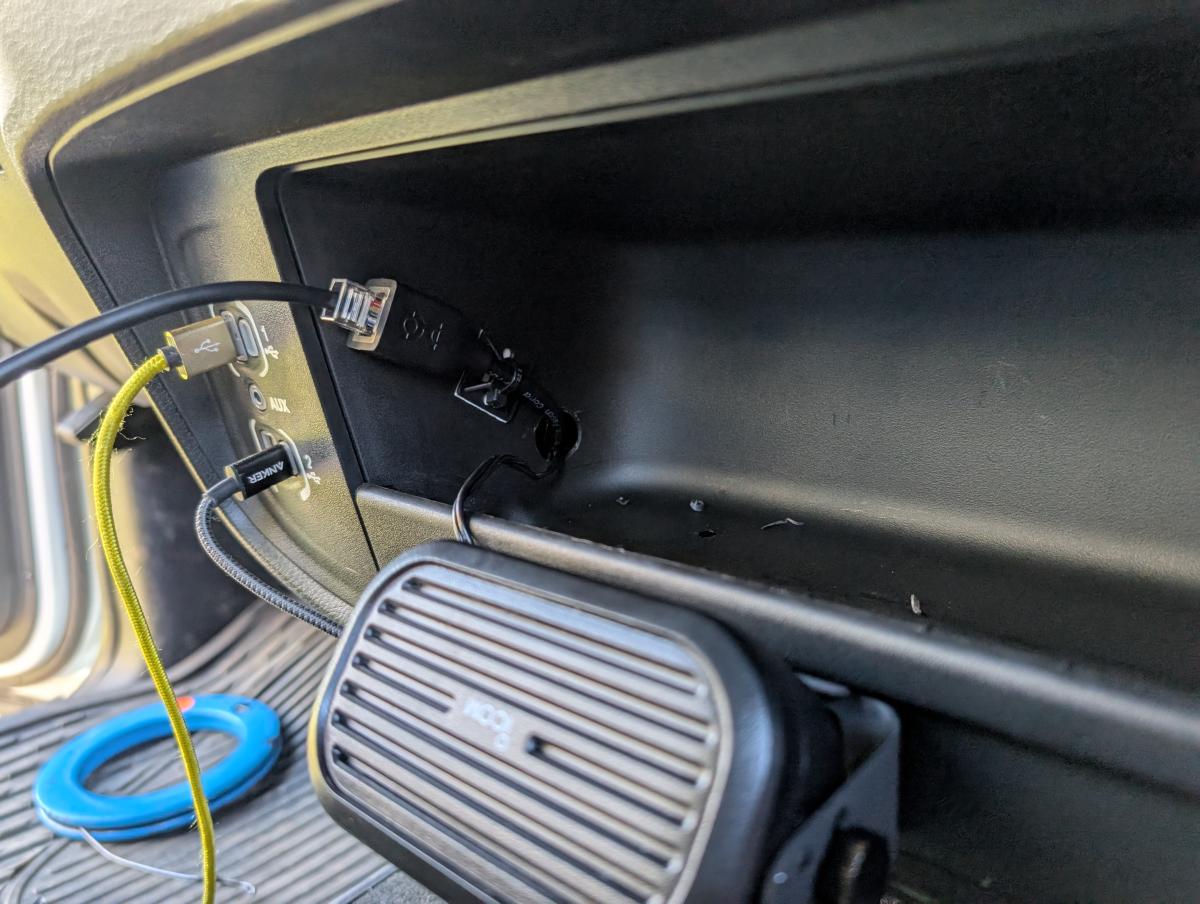
Here is where I fished the network cable extension, which you'll need to position the microphone where you want it, and speaker wire through.
Regarding the need for a speaker, I was bummed to discover that this unit didn't have a line level audio output that I could simply run into my cars auxiliary input. This would have let me just run directly into my cars stereo system. Now... this may not be desirable for most, as you can't listen to music and faff around on your radio... but since you shouldn't be transmitting music anyways and I find I always turn my music down to have a conversation anyways... not having a line level output sure seems like a big miss on the part of ICOM.
Despite all of that complaining, I grabbed a legitimate ICON speaker (ICOM SP-35) for a very modest price and overnight delivery. While there were cheaper units... the price jump from a cheap amazon one to this one was so modest, it seemed reasonable to treeat myself. Plus the reviews were mixed on all of the affordable $15-20 units.
How the ICOM 5100 Works For Me
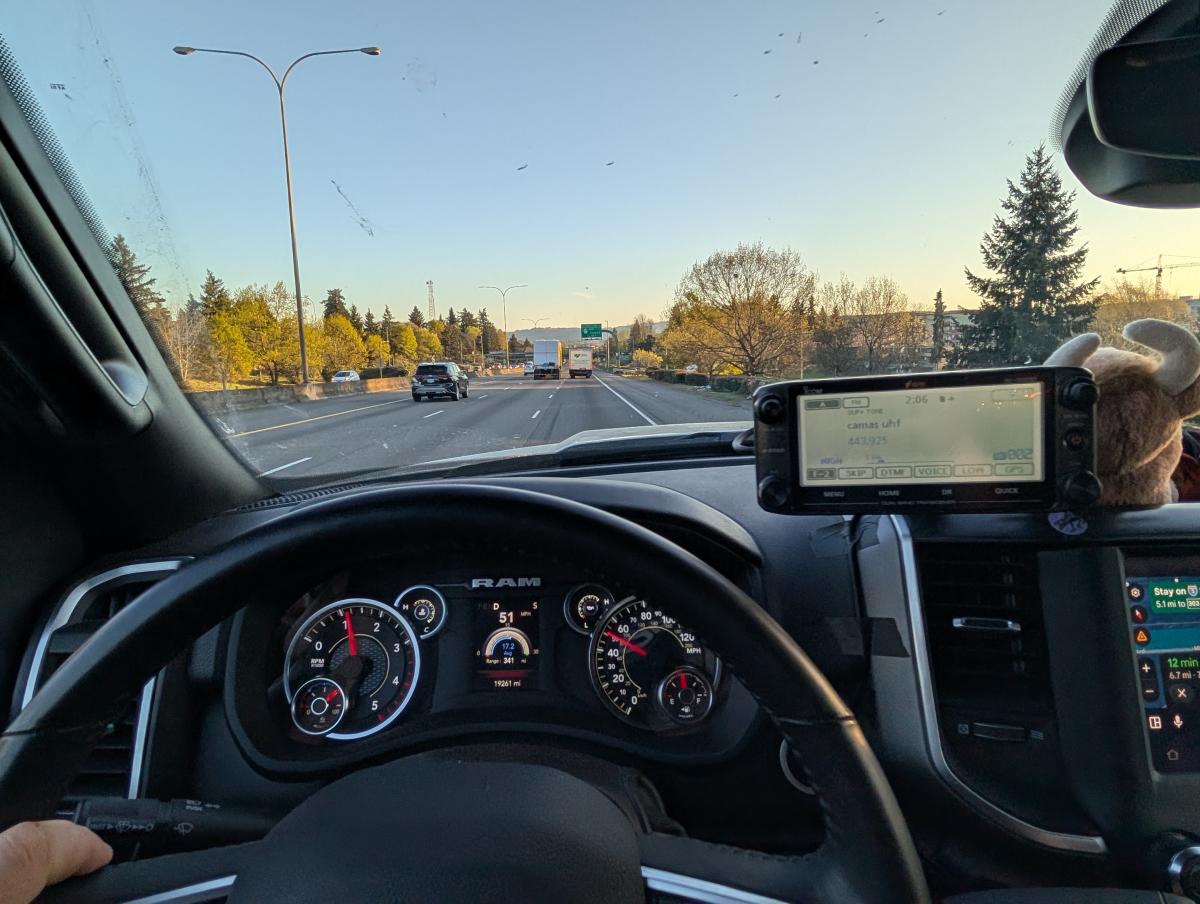
Here's a picture of the ICOM 5100 while driving down the road during some initial testing, as taken only moderately intrusively by my most wonderful wife. Don't worry she didn't block my vision, my eyes are higher up than that! The ICOM-5100 is nice and visible and easy to interact with in this location.
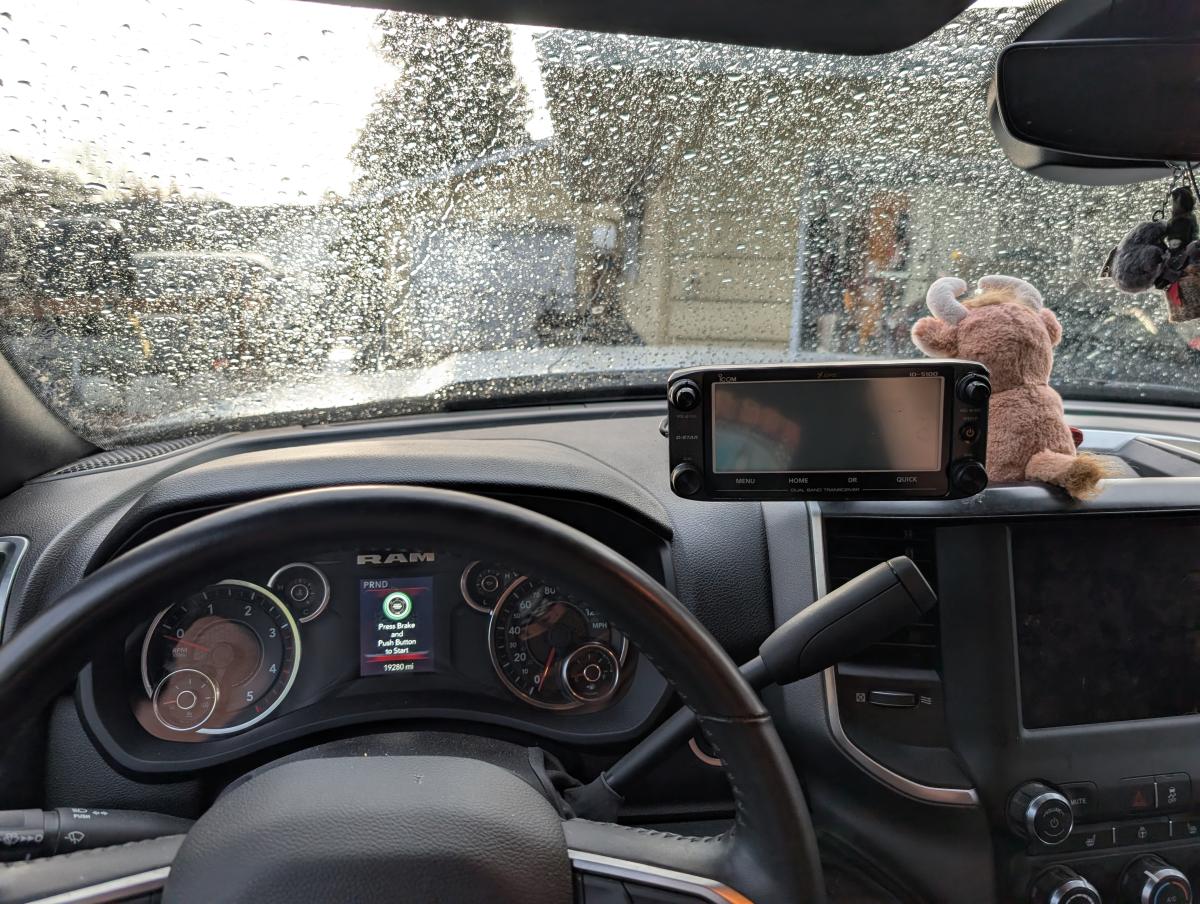
Here's a picture of the ICOM 5100 from where my eyes are while I am parked in the driveway. Here you can see the ICOM-5100 head unit does not block any of my view.
Early impressions of the radio pre uploading anything:
The UI is pretty reasonable to navigate. A few quirks left me uncertain but I was able to quickly save a few channels to memory to experiment with while out and about. I also was able to reach a large amount of repeaters that I normally cannot reach with clarity, so the combination of 50w on a roof mounted antenna somehow outperforms a 10w HT inside of my vehicle.
Things I love About the Radio
Exceptional RX and TX quality. No surpise there though right?
- Bright and easy to read display with LONG channel names. This really helps to add relevant details like location, if it's wide (allstar / echolink) and I sometimes like add other suffixes for quick detail recognition.
Gripes so far:
- When operating in non A/B mode it would be nice if both the left and the right knob adjustment knobs controlled the channel. Unfortunately, they do not, which is unfortunate as the right adjustment knob is in the more intuitive location when reaching out... but the solution is easy enough. Just select and operate with B.
- While transmitting the opposing A/B side of the radio isn't silenced, so you can accidentally transmit the RX of B out with your TX on A. I can see the need to hear both channels though, as I may be monitoring my caravan on GMRS on A but pinging repeaters while driving on A.
- DSC Toe Squelch is really inconsistent. I added some simplex comms with DSC for me and my buddies, but quickly couldn' hear my friends at all unless I used monitor to bypass squelch, even with the squelch knob turned down all the way there was an issue. This could be an issue with my firmware though and I just need to update the radio. More to come.
Programing the Radio with RT Systems:
(information to come once the USB Cable arrives)
Using the Repeater Proximity Search
Programming in the database of repeaters is both simple, but a bit lacking when I first got the unit. The Icom database for this is about 6 years out of date if I am reading the informatin right... so that's not advised. I utilized D-star's download, set the GPS coordinates to my location, and then set the "Percent FM" to 80%, as I am primarily interested in FM. Driving a 4 hour round trip adventure to go whitewater kayaking, I tried to reach folks two ways. First, I utilized the nearby repeater search, and second by scanning all nearby repeaters.
My results: Quite honestly it was a big waste of my time, but my use case is specific to the geopgrahy of where I am. See generally in the PNW you'll want to reach out to far away repeaters with some elvation. With the Icom 5100a though and a generically exported list of all repeaters, you get all the low level hobbyist and small club repeaters first as they are closest, and then even if you page through you can't identify the value of the repeaters you are seeing. I spent pretty much all day not making any contacts.
Now my use case may not match yours. If you're in a region that's flatter than where I am at, like a lot of of America, you can kind of count on the repeaters nearby being the most likely candidates to speak to, there probably isn't anything of all that significant elevation either.
It's also worth noting that these exports are for all of America, and often repeaters from other parts of the world. Why the hell do I, as a resident of North America, want UHF/VHF repeaters in Japan? This ain't HF, I am not reaching them even from the peak of the tallest Mountain in Alaska...
So is this a cool concept? Heck yeah.
Does it work well out of the box? Not really.
Can I make it better? You bet your bottom I did!!!!
Here's How I Fixed the ICOM-5100 Repeater Search and Turned it from a Blunt Object into a Refined Tool
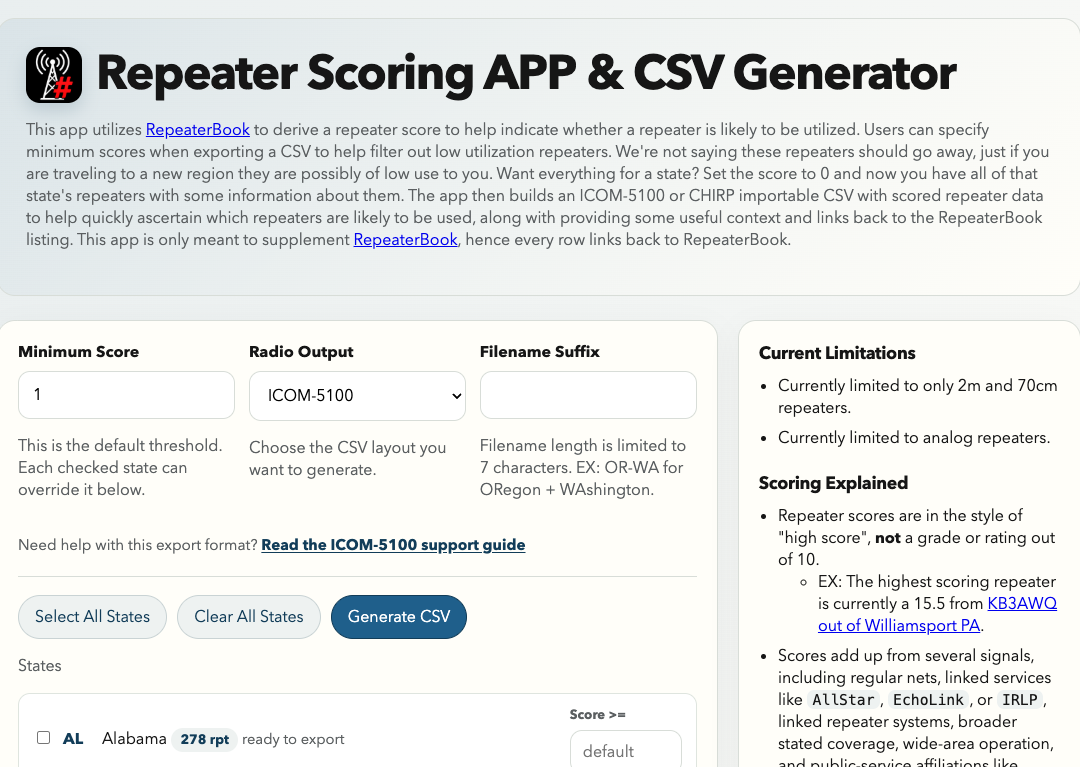
I have developed a web app, repeater-scores.app, that has just now been released! It has all of the United States repeaters from RepeaterBook and their information. My app then determines a score for repeaters based on the values we see such as the amount of nets, are they linked to other systems, are there services utilizing the repeater that likely indicate it's traffic'd. With these scored repeaters, you can do two things to improve your ICOM-5100 experience.
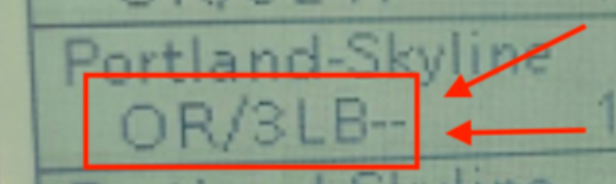
- On the ICOM-5100 you can now see the repeaters score and a few details about the repeater. For example, the repeater above shows OR/3LB--. That's an Oregon based repeater, it's linked, has both echolink and allstar... but no nets and no wide area coverage. At a glance I can now tell what a repeater has going on, and compare it to other repeaters in the list.
- You can filter the repeaters based on a minimum score. Put it this way, when traveling to a new region and trying to make contacts, do you really want a bunch of backyard or hobbyist repeaters that nobody utilizes 99/100 days? I'm betting not, and I am betting the odds you want to see 20 of those and not be able to distinguish them from the high elevation repeater a bit further away is absolutely the case. So personally, I utilize the minimum score to skip all the repeaters with a score of 1 or maybe 2 or less. This gets rid of all the empty repeaters with no connectivity, no elevation, no nets or other orgs.
- You can select just the relevant states to you. You don't need repeaterrs from states you aren't going to go to... so why have them? Or if you travel the country.... why not just have different repeater lists you can import as you move around the country? Your radio can EASILY hold all of America's repeaters, every single one, just orechestrated by region.
I am CONFIDENT there isn't a user this doesn't benefit.
The nay-saying nags of ham will come up with their claims to not want this. Oh I am ARES/RACES and I don't want to get rid of repeaters. Cool, DON'T! Just import every single repeater and have more information at your finger tips. If you aren't just pretending to be an emergency operater then having more information at your finger tips is valuable. Then there's the folks worrying it'll turn repeaters into a gameified system... oh no people will start keeping their information up to date! How could they!
The ICOM-5100 as Portable Base Station
Check out the design on Onshape
You can export or copy and customize for yourself, and is for personal use only.
So I love the ICOM-5100 so much as a radio, I got another one to build a portable base station with. I was looking into the whole process of getting a 12v power supply to run my radio and it occurred to me... a 22ah lithium battery is smaller, more capable in an emergency, portable... and just as easy to charge with a battery charger... why would I bother with a stationary 12v power supply?
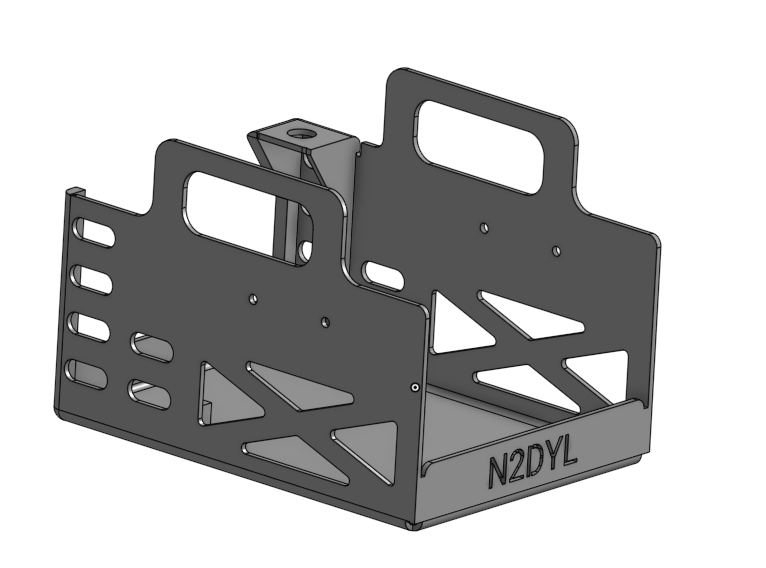
So I designed up a frame that would fit a 22ah battery, work with my ICOM-5100 base station, and even has a connection where I can easily connect up an external radio or put a large antenna for truly portable operation. The unit pictured above is 3d printed, but is spun up off of a "sheet metal" designed that can be made of bent up aluminum from Send Cut Send, which makes for a very strong and durable design.
Interested in me printing and sending you one with your call sign? I can do so for $80 or so shipped! Shoot me an email!
Parts List:
This setup can easily go 10+ hours of operating... and even longer if you're just scanning around. This makes it the perfect unit to take camping and setup as a base station, or as we utilize it at the race track just set it up in pits and you can hear what everyone is up to out on track!
Aluminum Frame Version
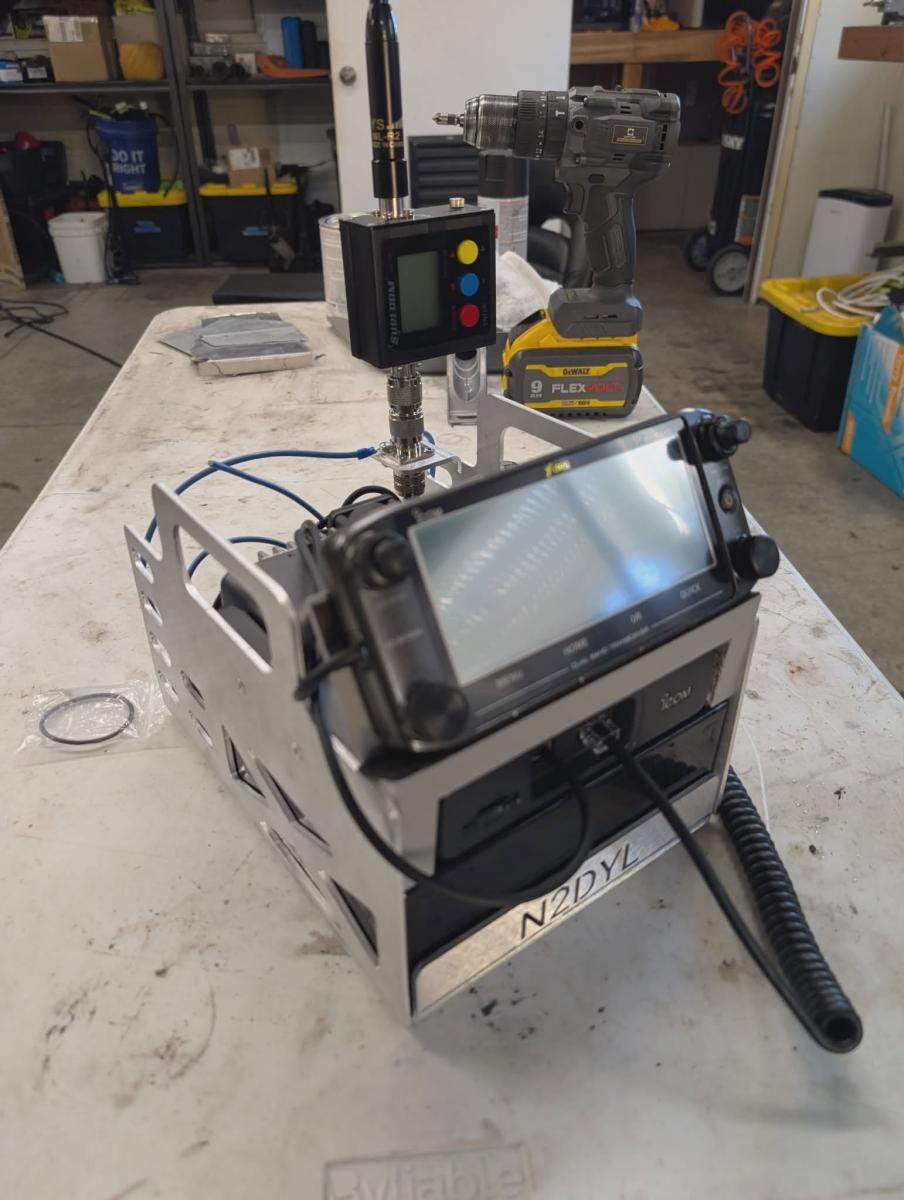
Here is the initial aluminum frame version of the frame! It works well enough, but definitely has some areas that could be improved, but currently for my use case this works and works well! It is noticeably heavier than the 3d printed version, and of course more prone to scratch or dent surface you put it down on than the plastic version... but boy is it heavy duty and rugged! Unfortunately adding the aluminum frame did not improve the antenna performance, it's just not enough of a ground plane to provide any benefits. However adding two small 19" wires dangling behind the radio improved SWR however. it is worth noting when attaching to any good external antenna, even a mag mount on a pizza pan, SWR is of course as good as expected.
Interested in this in aluminum? I can share the product with you and customize it with your call sign, but be aware the frame isn't perfect in design yet, and runs about $100 shipped. Shoot me an email if you're interested.
Regarding D-Star Digital Operations
I'll be honest. I don't get it. I haven't delved into it, I don't know anybody doing it, I'm not sure I care. I'm focused on local communications and group comms... I just don't get the appeal, YET. Somebody convert me! I'm game to seeing what new things are out there and why they are good, and lord knows I love being wrong and learning from things. So get ahold of me, show me what it's about!